Reclamefolder
DPGMedia | B2C & B2B platform
UX Designer
Product Design, User Research, Design System, UX Documentation
Background
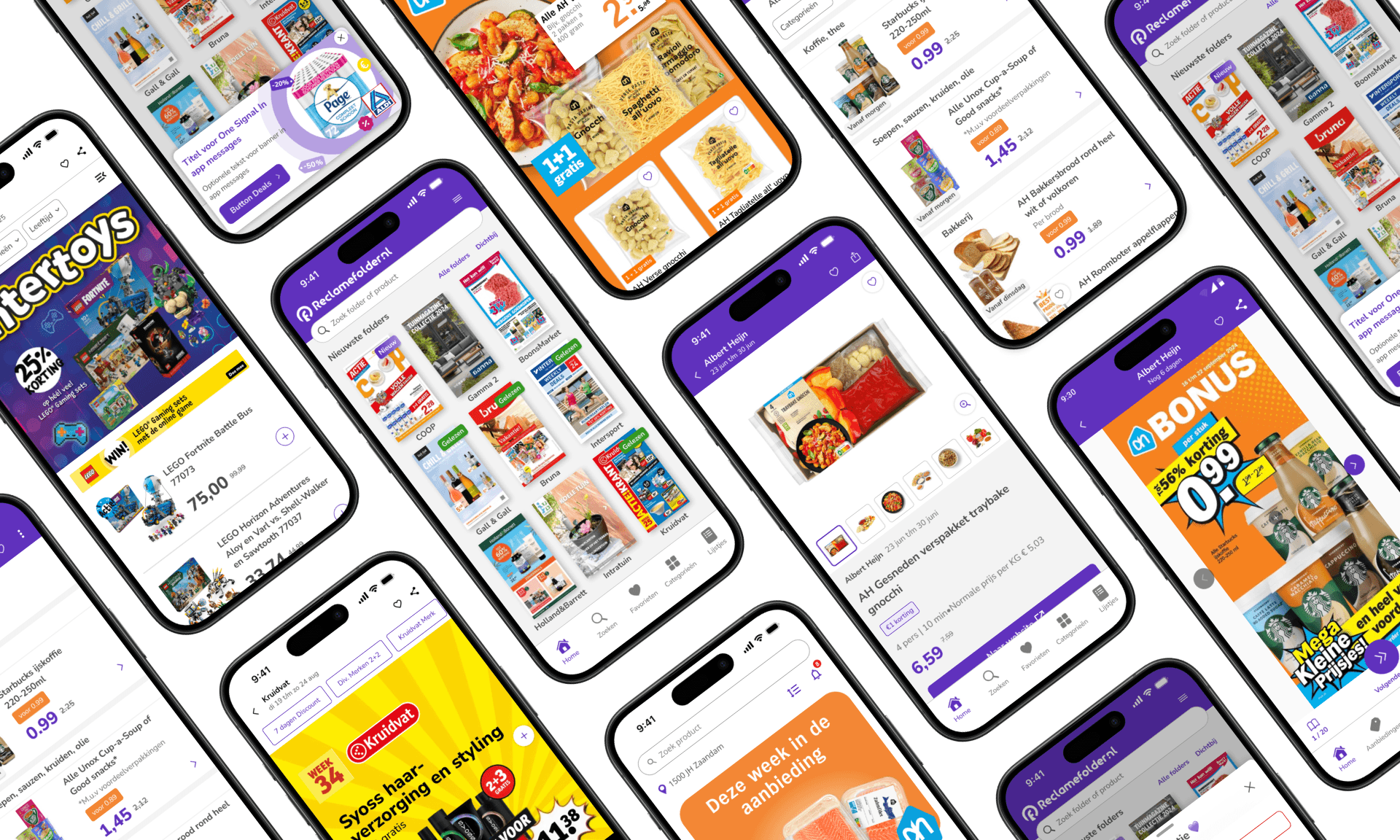
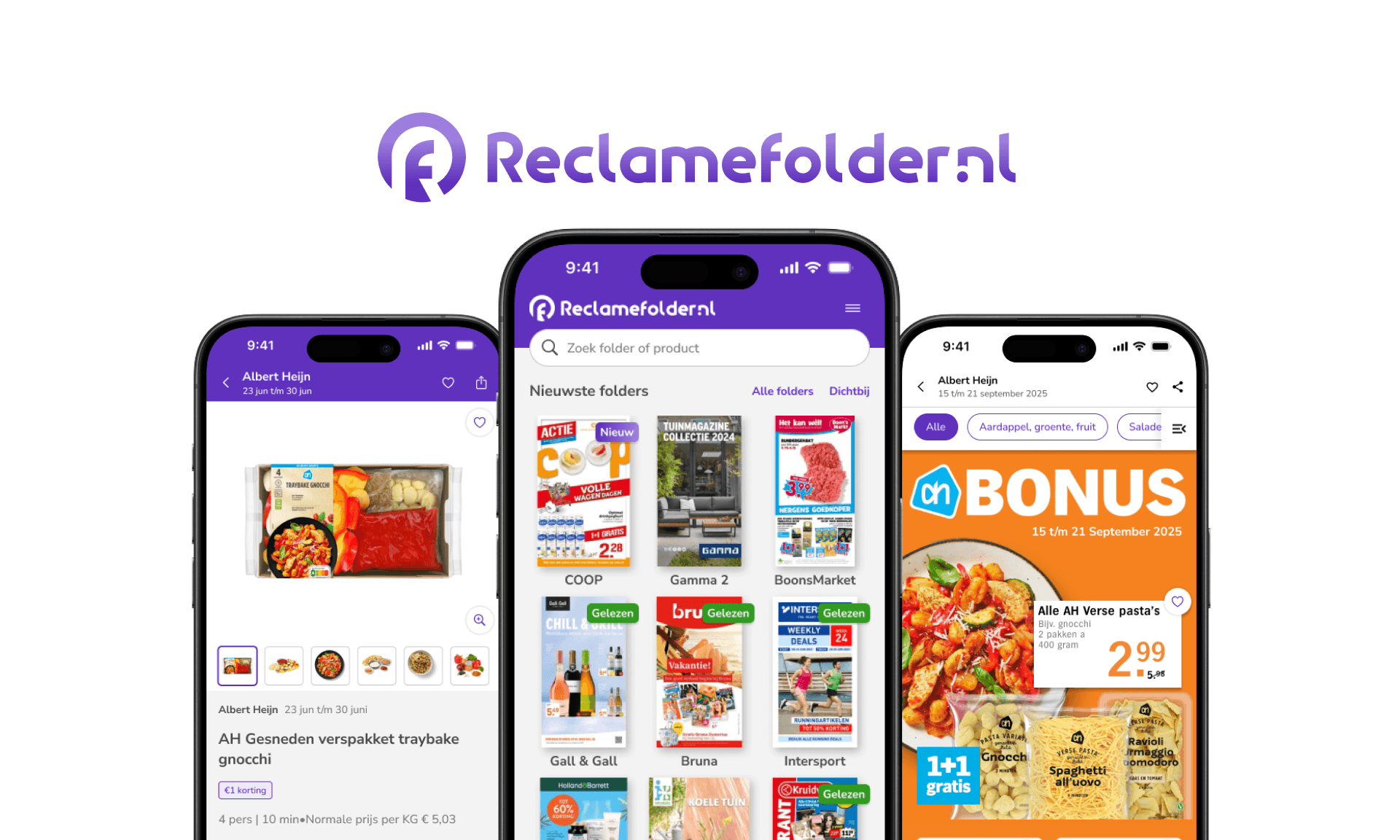
Reclamefolder is a flyer and deals app that connects retailers and consumers. Retailers publish offers, and users browse and compare deals in the app.
I work as the sole UX designer. I am responsible for the design process from research to delivery and work closely with product manager and developers. My main focus is the mobile app, with additional work on web projects, marketing materials, and mockups for the sales team.
Responsibilities
I am responsible for UX across both the consumer and retailer sides of the platform.
My primary focus is designing and improving product features. This includes defining concepts, translating requirements into clear interface solutions, and delivering production-ready designs.
Designing new features from concept to final UI
Conducting competitor analysis at the start of selected projects
Creating user journey maps to understand entry points, friction, and opportunities
Creating high-fidelity designs and interactive prototypes
Validating concepts through user testing and A/B testing
Reviewing performance metrics after release to evaluate impact
Iterating on features based on data and user feedback
Creating and maintaining the design system
Documenting features in Figma, including states and edge cases
Writing component usage guidelines and interaction rules in the design system documentation
Handling questions and feedback from product managers and developers directly in Figma
Preparing final assets and specifications for development
I am also responsible for reviewing released features to ensure they match approved designs and function as intended.
Design System
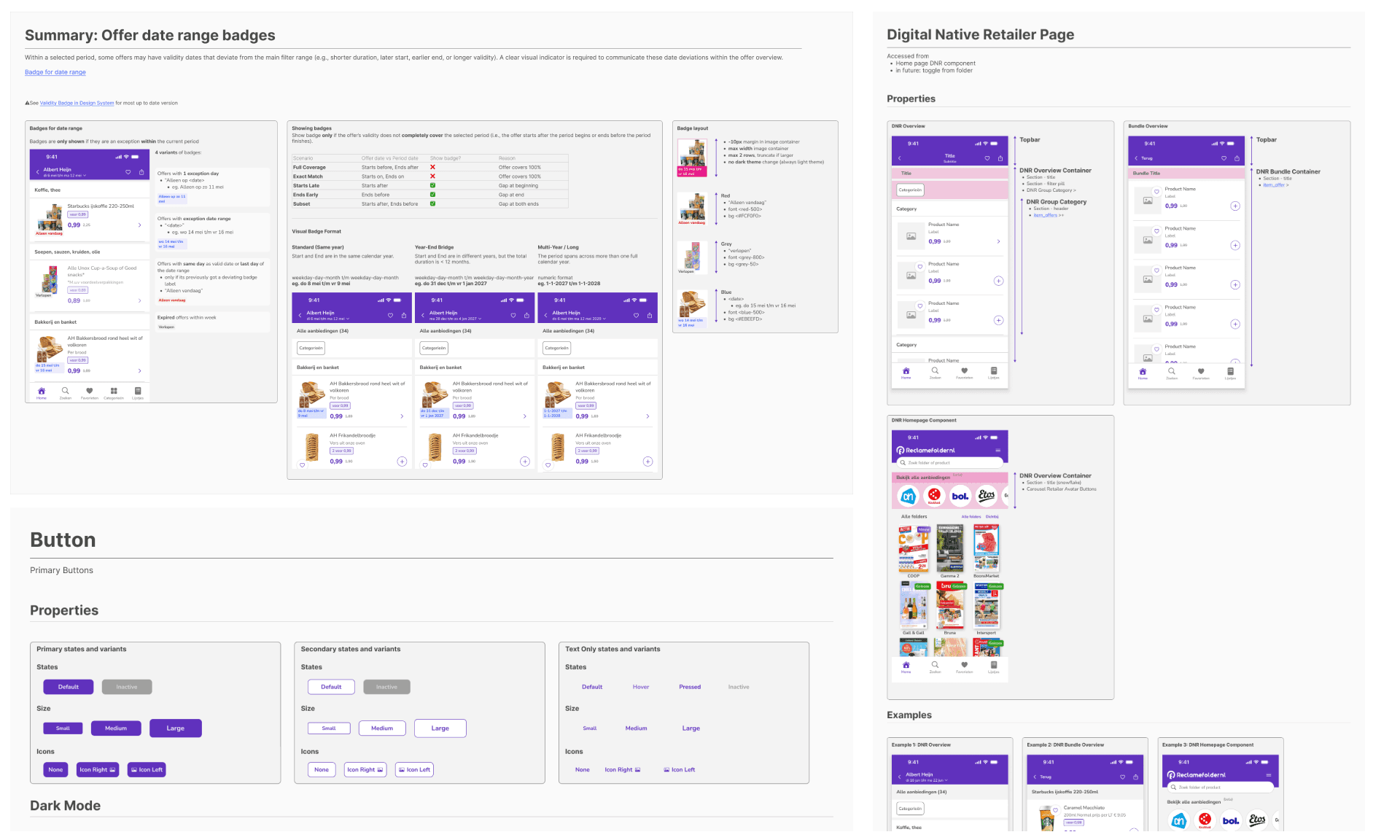
When I joined, the product included a mix of older and newer screens. There was no shared documentation or reusable component structure. This led to inconsistencies in layout, spacing, and visual hierarchy, and slowed down development.
To improve this, I created a design system to support both existing and future work.
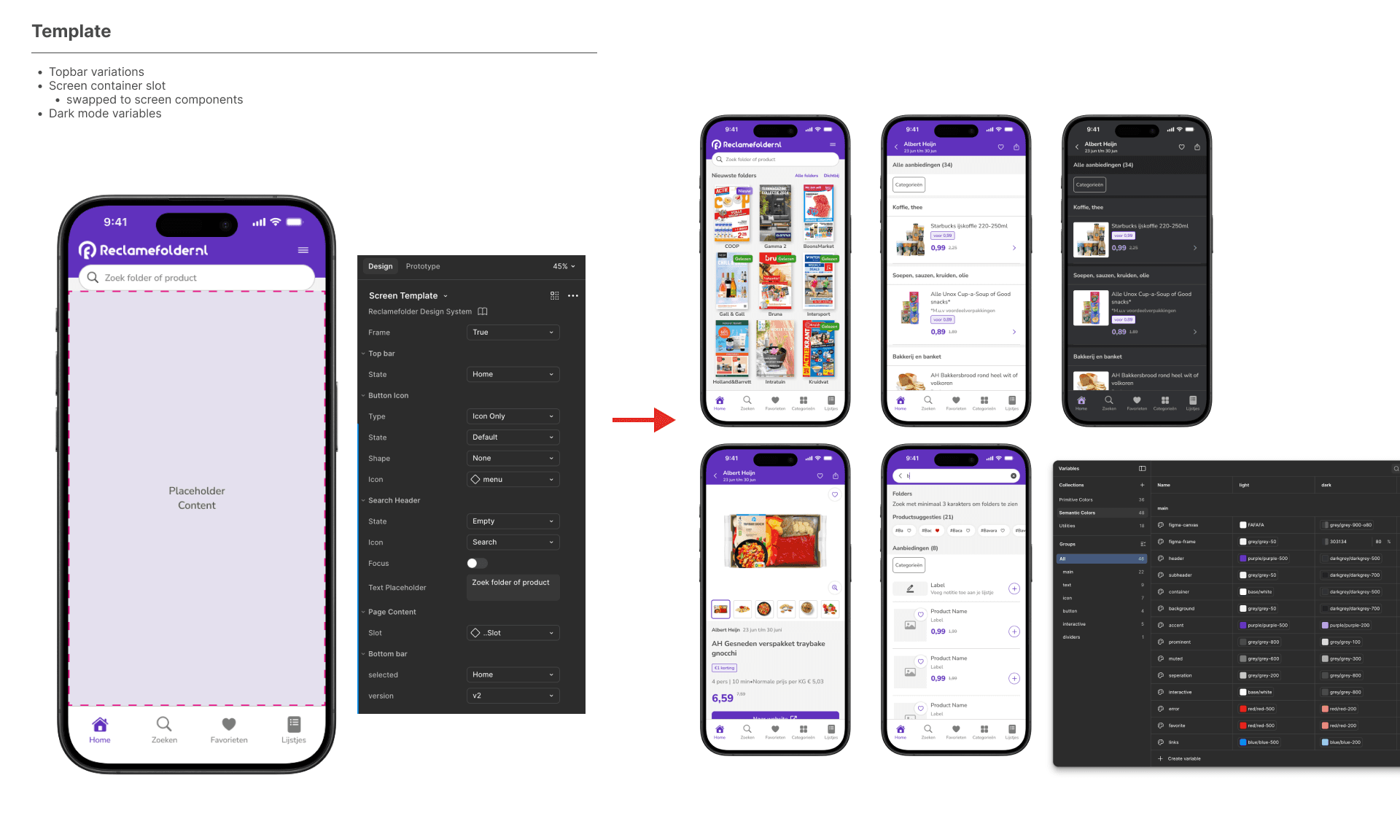
System Includes
Typography and color tokens (light and dark mode)
Reusable components with defined variants
A flexible screen template structure
Feature documentation in Figma, including usage guidelines and edge cases for each component.
Impact
Fewer UI inconsistencies
Faster feature development
Clearer handoff to developers
Reduced rework
The design system is now the base for product development.
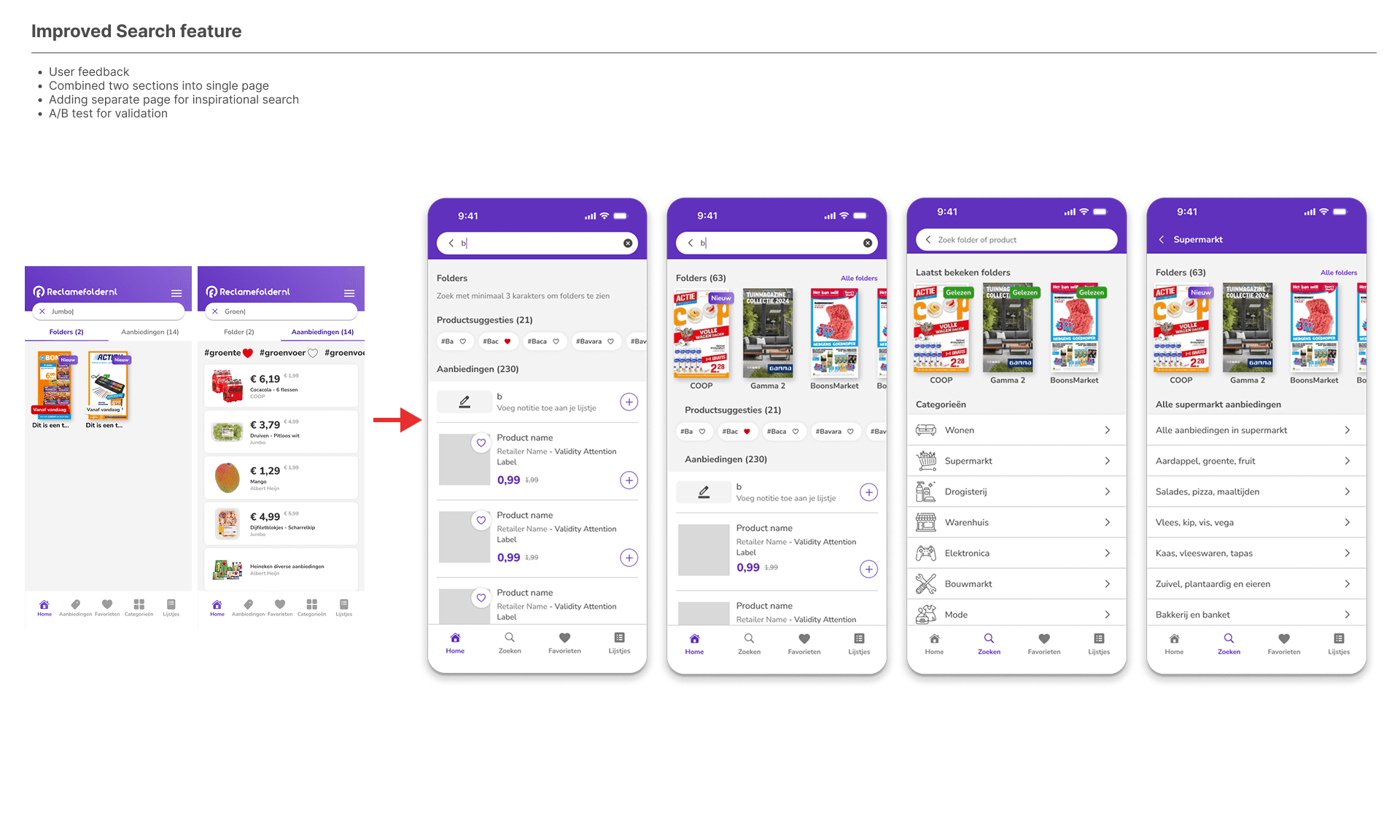
Improved Search Experience
Search is an important feature for users looking for specific deals. Early analysis showed issues with filtering, inconsistent layouts, and limited clarity in how results were displayed.
Improvements focused on:
Clearer hierarchy in search results
Improved filter structure
More consistent interaction patterns
Better comparison of offers
We ran A/B tests to compare layout and filtering changes. When results did not meet expectations, we adjusted the designs before releasing them fully.
This led to a clearer and more consistent search experience.
2.0 Concept
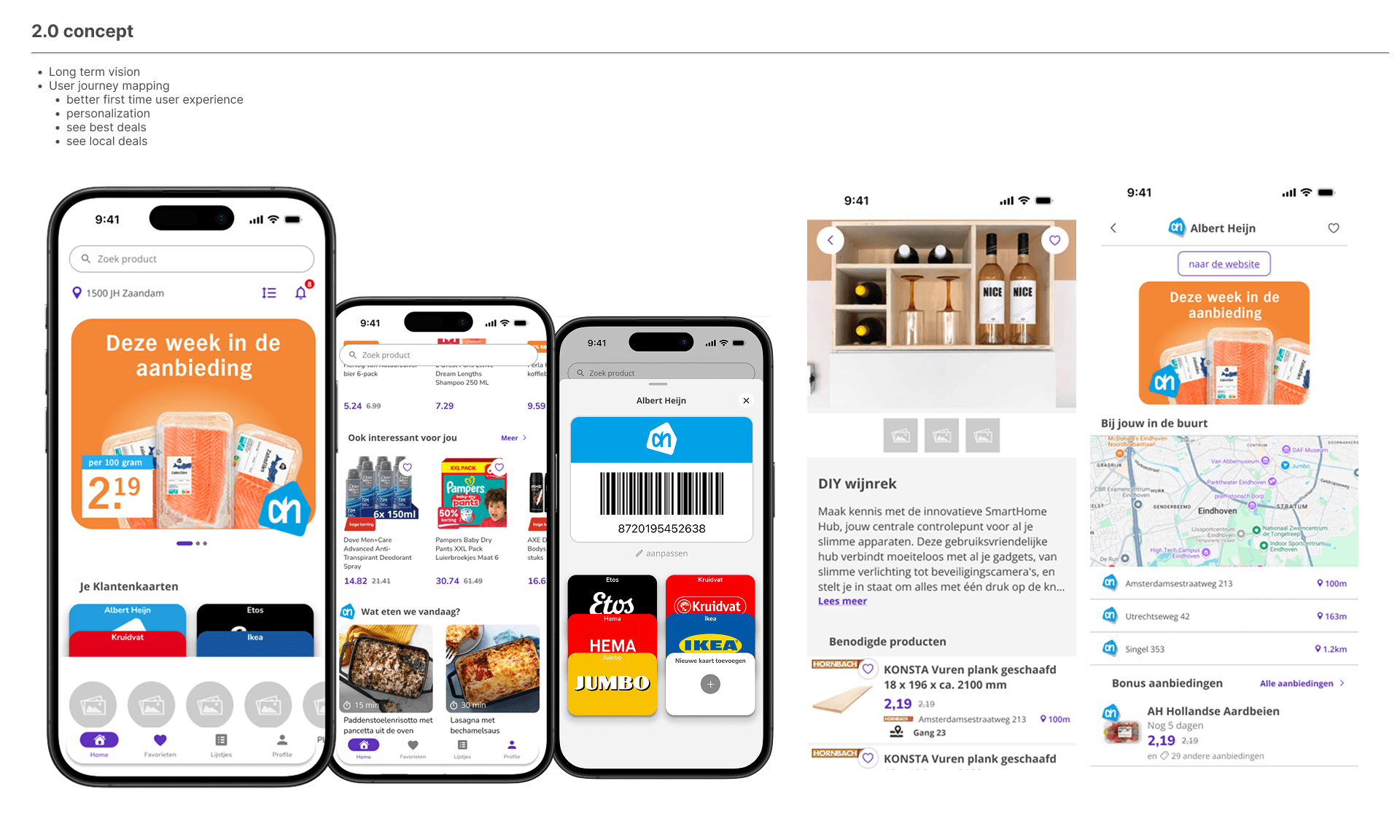
To guide future development, I created a 2.0 concept focused on clarity, engagement, and improving the experience for new users.
I mapped user journeys to understand how first-time users navigate the app. This showed that users could feel overwhelmed by the number of folders and did not always find relevant offers quickly.
To address this, I introduced:
A clearer home page structure
More visible headlines explaining the app’s value
Personalised elements on the home page
Context-based recommendations
High-fidelity mockups and interactive prototypes were created to support internal discussions and align on direction.
New Flyer Experience
User interviews showed two main behaviors:
Users who search quickly for specific deals
Users who browse flyers in a more exploratory way
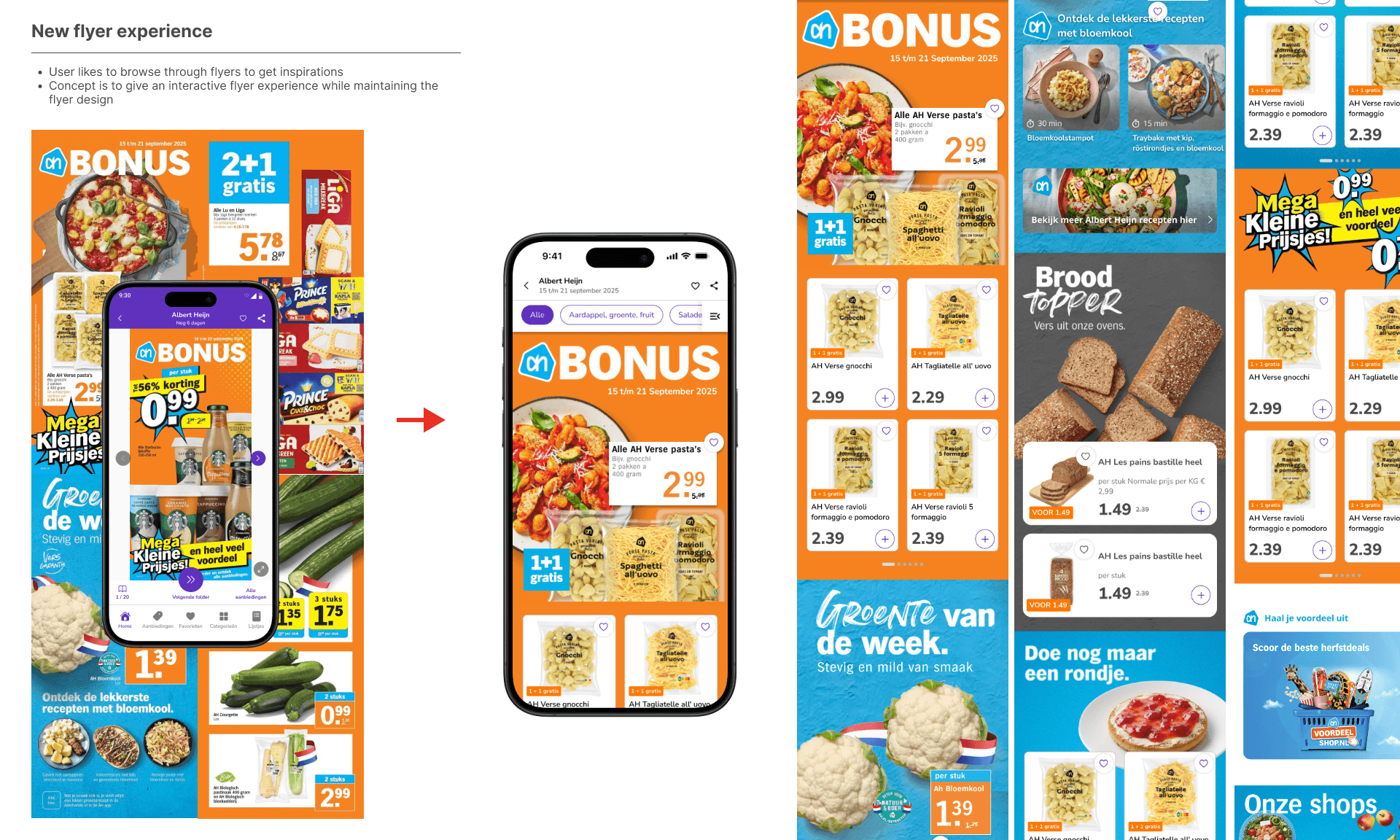
Many users appreciated the traditional flyer format, but static images limited interaction.
Concept
The goal was to keep the familiar flyer structure while making it interactive. Instead of static pages, product feeds were integrated into the flyer view. This allowed users to:
Explore products directly
View more details without leaving the flyer
Interact with content
Retailers responded positively to early discussions about this concept. Some even mentioned of having similar concepts in discovery.
Validation & Testing Approach
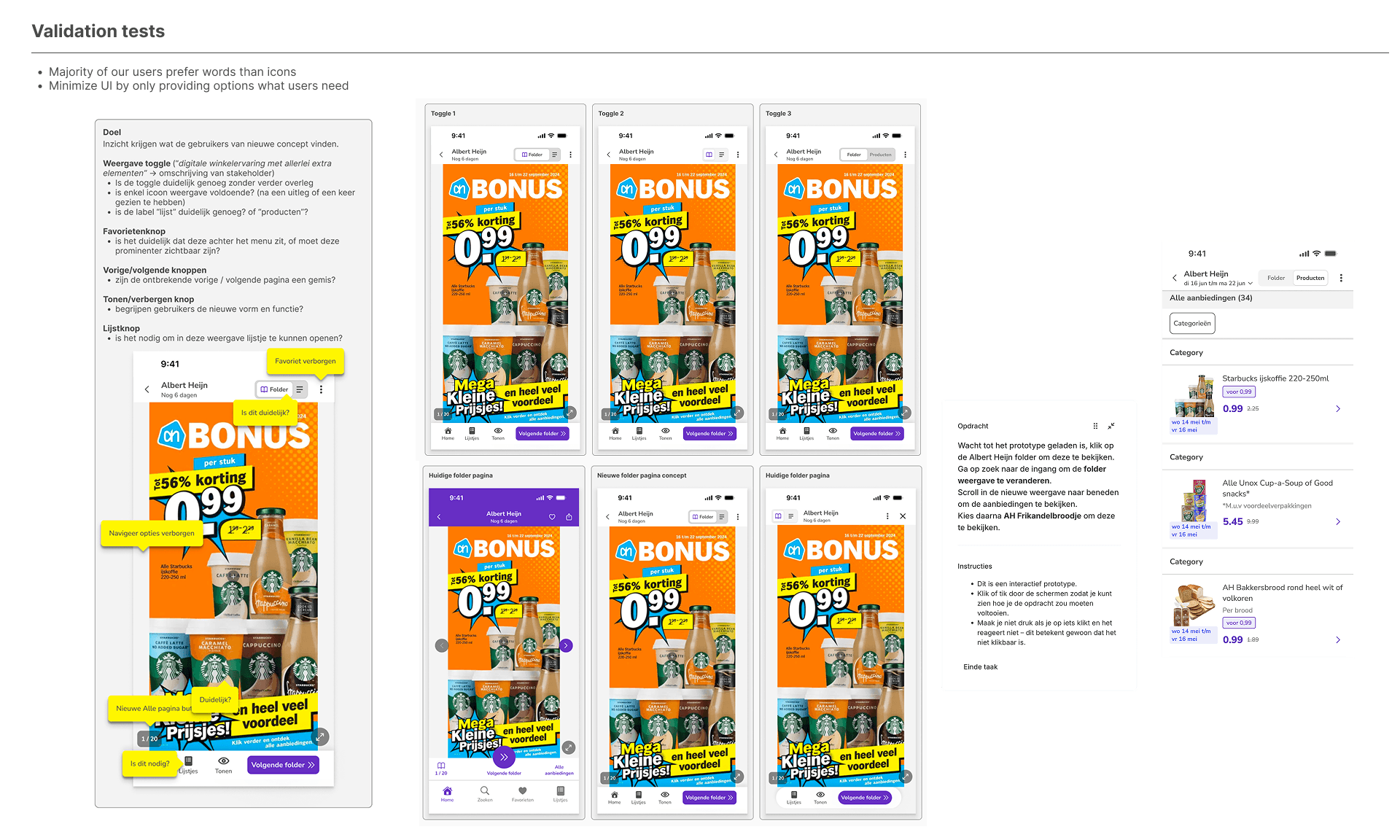
New concepts and UI changes were tested using Lyssna.
Testing focused mainly on the flyer viewer. Users were asked which controls were clear, which options were useful, and what caused confusion.
Feedback was used to refine designs before development. This helped reduce uncertainty and improve usability.
The main focus of the Flyer view, where we asked users questions such as:
Which toggle options would be most useful?
Which UI elements are immediately clear, and which are confusing?
Feedback from these sessions was used to refine the interface and interactions before development. By validating specific UI choices early, we reduced uncertainty, avoided assumptions.
Impact & Learnings
As the sole UX designer, I introduced more structure into the design process while balancing user needs, business goals, and technical constraints.
In addition to interface design, I was responsible for feature documentation. For each feature, I documented behaviour, states, and edge cases directly in Figma. I also maintained design system documentation, describing component usage, variants, and interaction rules.
Questions and feedback from developers and product managers were handled directly in Figma to ensure clarity before development.
Key outcomes
A shared design system for old and new screens
Clear feature documentation including edge cases and interaction rules
Improved consistency
Better collaboration between product and engineering
A clearer testing process for new features